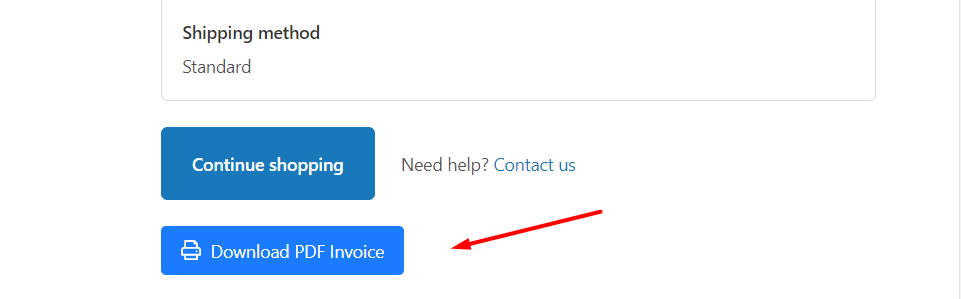
This guideline gives information about how to add "Download" button to Shopify's Order Success page which your customer sees after placing an order.
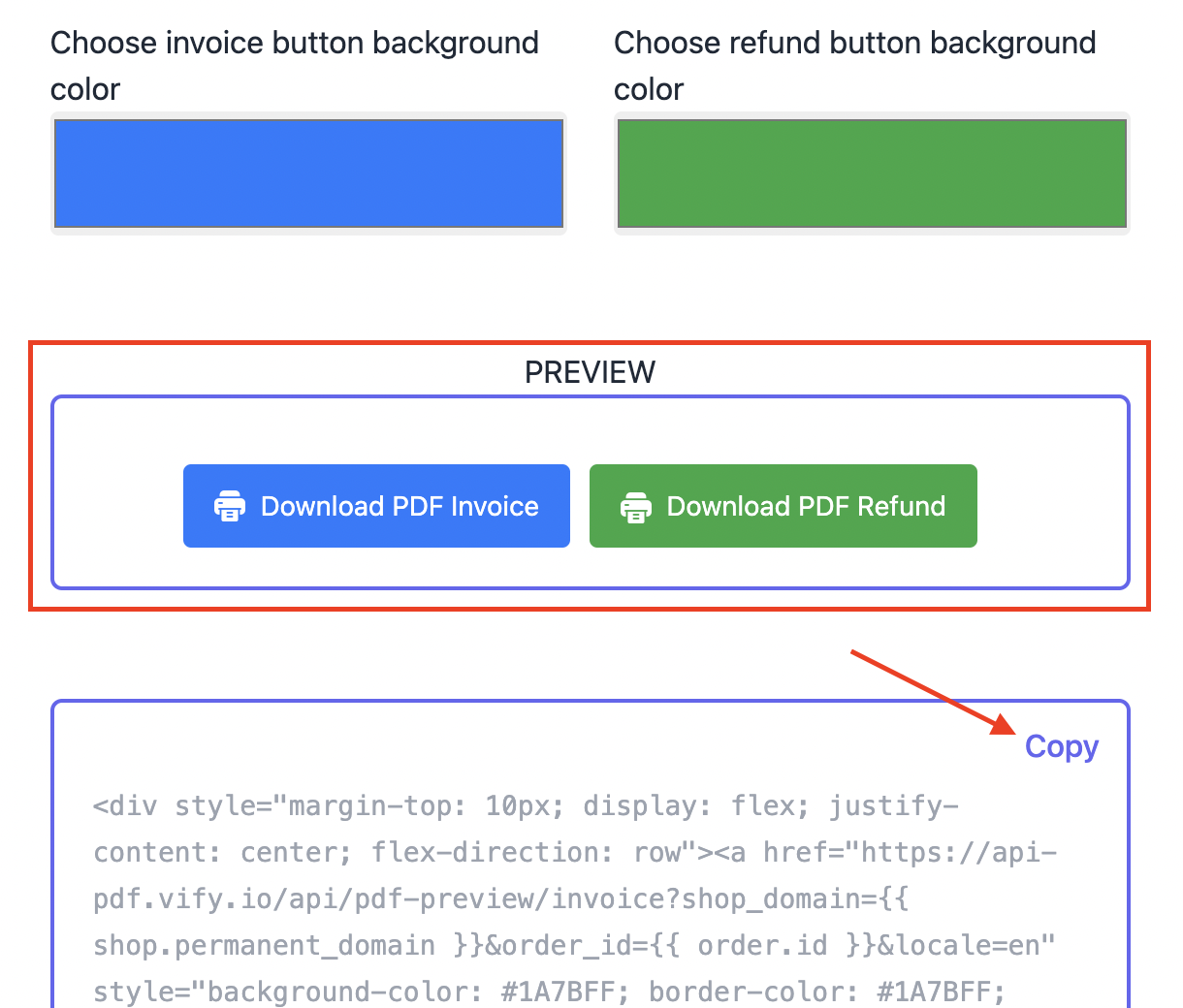
Step 1: In our app, select Settings => Frontend Download option on the sidebar:

Then:
- Select option for Order
- Edit everything as you wish
- Preview the buttons
- Scroll down and click Copy to copy the code
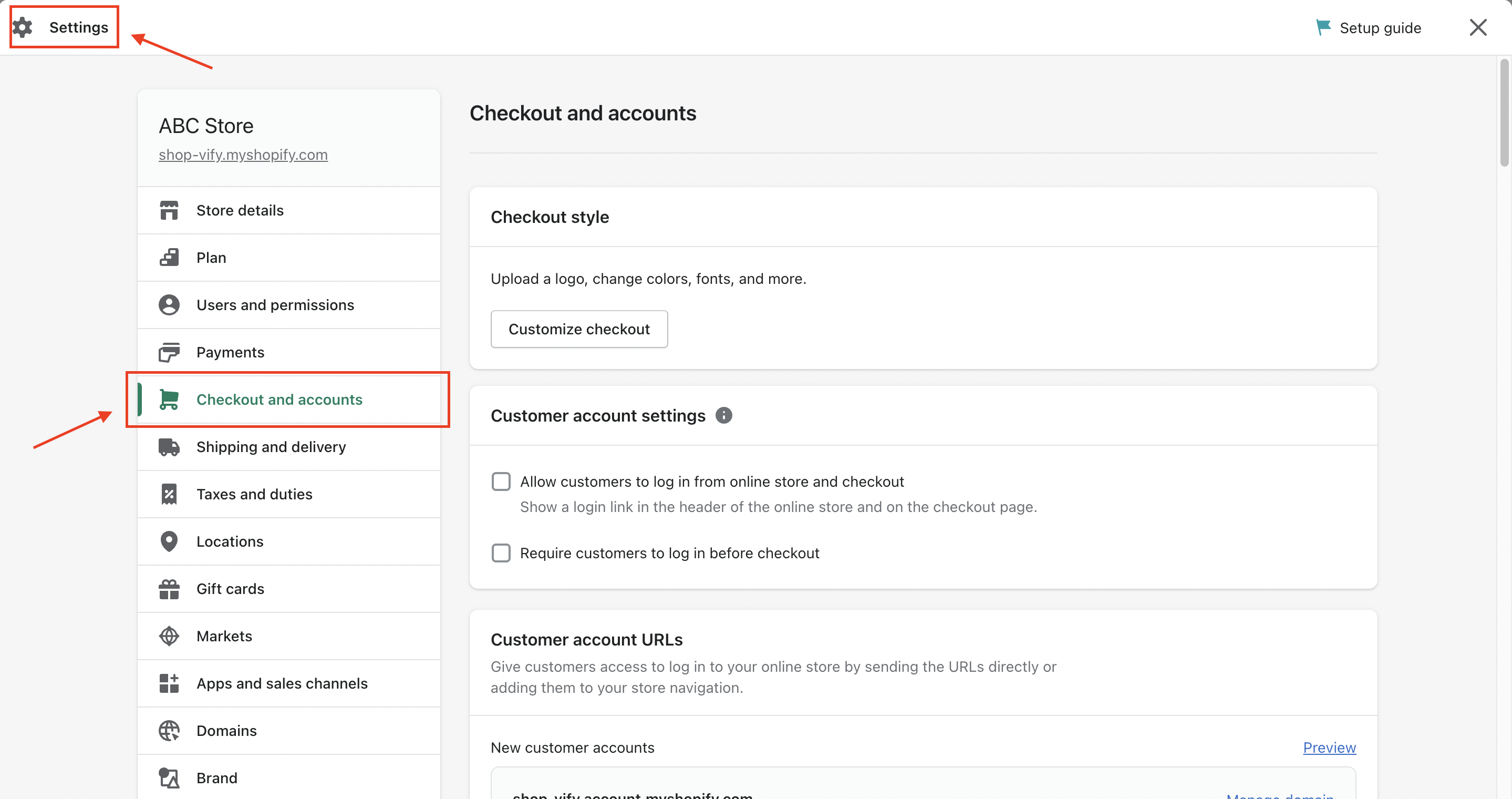
Step 2: In Shopify Admin page, go to Settings -> Checkout
Scroll down and look for Additional Script under Order status page box, then paste the code from the previous step:
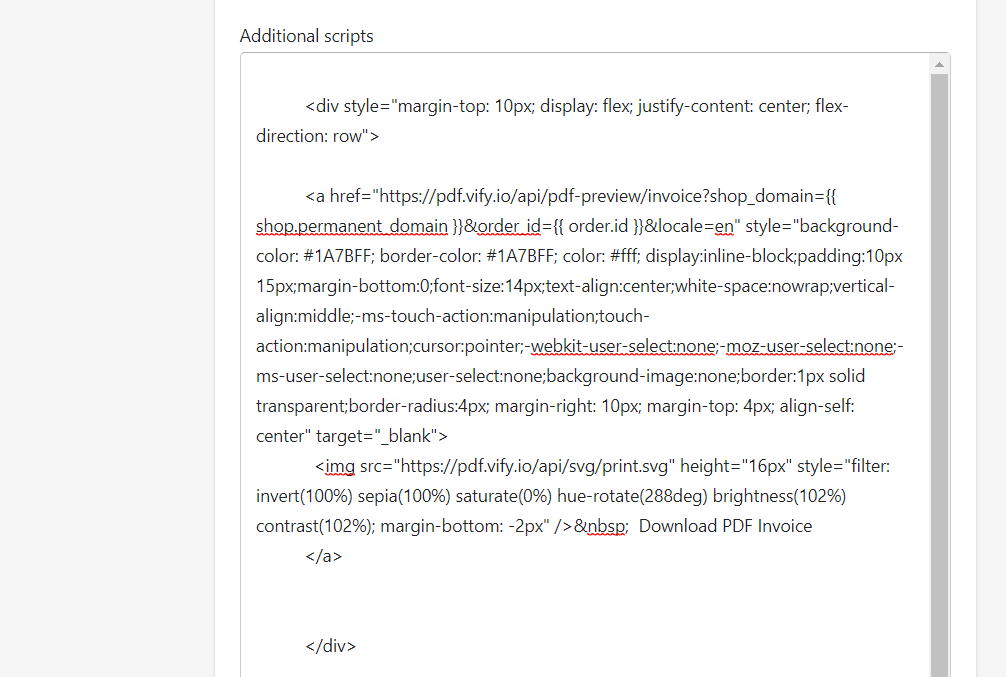
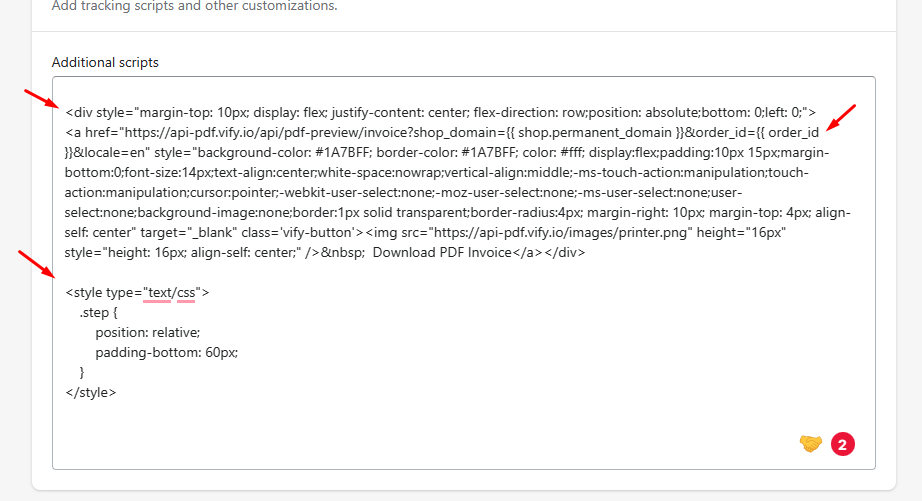
Step 3: Replace the first line,
from:
<div style="margin-top: 10px; display: flex; justify-content: center; flex-direction: row">
to:
<div style="margin-top: 10px; display: flex; justify-content: center; flex-direction: row;position: absolute;bottom: 0;left: 0;">
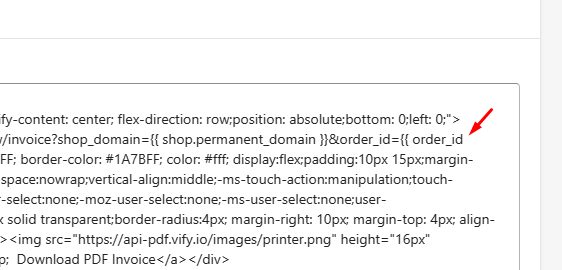
and order.id to order_id
Lastly, add this line of code at the bottom:
<style type="text/css">
.step {
position: relative;
padding-bottom: 60px;
}
</style>
It should look like this:
Step 4: Click Save and check on Front-end: